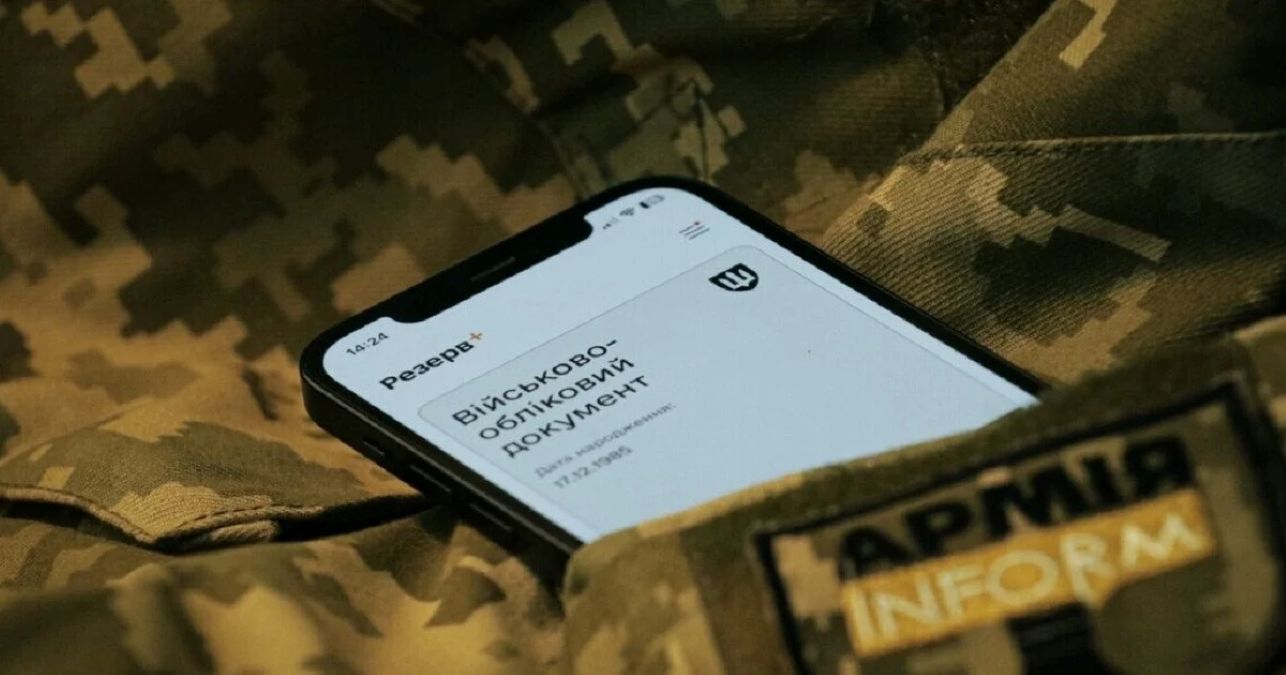
“Reserve+” is one of the main digital tools for military registration in Ukraine. Through the app, you can check your registration status, obtain an electronic military registration document, update personal data, and apply for a deferment from mobilization. However, users are not always able to use these features, as the app may fail to find information in state registries, display outdated records, or reject requests.
Developers continue to improve the app, and new features periodically appear, such as authorization via “Diia”, an expanded range of deferment categories available online, and more.
We explain how the app works, what data you can update on your own, how to submit a deferment request, and what to do if the system returns an error.
What is “Reserve+” and what is it for
“Reserve+” is a mobile application of the Ministry of Defense of Ukraine for conscripts, reservists, and military-obligated persons. It functions as an electronic personal account through which a person can access their military registration data.
It is important to understand the difference between the app and the “Oberih” registry. “Oberih” is the state information system where military registration data is stored. “Reserve+” retrieves this data, displays it to the user, and allows certain update requests to be submitted.
The following features are available through the app:
- Obtaining an electronic military registration document (eVRD) with a QR code.
- Updating contact details and submitting requests to correct information in the registry.
- Applying for a deferment from mobilization for eligible categories.
- Checking whether a deferment or reservation is in place.
- Obtaining an electronic referral for a Military Medical Commission (MMC).
- Paying certain fines for violations of military registration rules.
- Booking an appointment in the electronic queue at a Territorial Recruitment and Social Support Center (TRC&SSC).
- Viewing and searching for vacancies in the Defense Forces.
The electronic military registration document has the same legal force as a paper one. Its authenticity is verified via a QR code.
The document displays personal data, military registration category, the relevant TRC&SSC, military occupational specialty, information about the MMC, deferment or reservation status, and other details.
For more details on who is subject to military registration and what obligations military-obligated persons have, see our article on mobilization and military registration rules.
How to install “Reserve+” and log in
The app is available for Android and iOS. It can be downloaded from Google Play or the App Store.
Before installing, check the developer: the official app lists the Ministry of Defense of Ukraine as its developer. Minimum requirements are Android 7 or iOS 13.
One of the primary authorization methods is logging in via BankID. This requires an account at a Ukrainian bank connected to the NBU BankID system.
Steps to follow:
- Open “Reserve+” and select authorization via BankID.
- Find your bank in the list.
- Switch to your banking app.
- Confirm the data transfer for authorization.
- Return to “Reserve+”.
After the first login, the system will prompt you to verify your personal information and create a passcode for future access.
Logging in via “Diia”
In September 2026, the Ministry of Defense announced the launch of an alternative authorization method using Diia.Sign.
To use it, select “Log in via Diia”, verify your identity through Diia.Sign, and return to “Reserve+”.
The new mechanism was rolled out gradually. Users who do not yet see the corresponding button can continue using BankID. This is also an alternative for those who do not have a Ukrainian bank account but can use Diia.Sign.
How to update data in “Reserve+”
Updating personal information is one of the app’s core functions. However, it is important to distinguish between updating contact details, retrieving fresh data from the registry, and correcting errors.
How to update your phone number, email, and address
During the first authorization, “Reserve+” prompts you to verify your contact information. Some fields may be automatically populated with data received via BankID.
The user can update:
- mobile phone number;
- email address, if applicable;
- actual residential address.
Review the information, make any necessary changes, and confirm the update. For a new phone number or email, the app may require additional verification.
If the data changes after the initial registration, the app provides a re-confirmation function.
According to a clarification from the Ministry of Defense, contact details can be re-confirmed an unlimited number of times, but no more than once every seven days.
At the same time, legislation requires that changes to relevant personal information be reported within seven days. If the information has not changed and is correctly reflected in the registry, there is no need to resubmit the same data simply because time has passed.
How to update your military registration document
If the app still shows outdated information after a deferment, reservation, or change in registration status has been processed, you should first reload the document from the registry.
To do this:
- Open the main screen of “Reserve+”.
- Tap the “+” button next to your name.
- Select “Update document”.
- Wait for the current information to be retrieved from the “Oberih” registry.
- Use “View document” to check the extended details.
This action does not constitute re-confirmation of contact information. The app simply downloads the current version of the military registration document.
If “Oberih” itself contains an error, a routine document update will not fix it.
How to correct incorrect registration data
For such cases, there is a dedicated feature called “Correct data online”.
It is accessible via “Services” → “Correct data online”.
The user selects the category of the issue, describes the situation, and submits a request. Once processed, the information in the registry may be corrected. For example, this service can be used to report an incorrect place of employment or an incorrectly displayed servicemember status.
At the same time, the ability to submit a request does not mean that any information can be changed independently. Some data comes from other state registries, so corrections must be made at the institutions responsible for the relevant records.
How to apply for a deferment through “Reserve+”
One of the most in-demand features is submitting an electronic request for a deferment from mobilization.
From 1 November 2025, an updated deferment procedure has been in effect in Ukraine. The main submission channels are “Reserve+” and Administrative Service Centers (ASCs). TRC&SSCs no longer accept deferment applications directly from citizens, but remain the bodies that make decisions in cases provided for by the procedure.
Who can apply for a deferment online
As of November 2026, the official service page lists the following categories:
| Category | Main conditions |
| Persons with disabilities | Current disability information in state registries |
| Temporarily unfit for service | Electronic MMC ruling |
| Parents of three or more children | Three or more children under 18 and compliance with other legal conditions |
| Parents of children with disabilities | Existence of a legally prescribed ground |
| Spouse of a person with a disability | Disability of Group I or II in one of the spouses |
| Parent of a person with a disability | Disability of Group I or II in one of the parents and compliance with other conditions |
| Spouse of a servicemember | Having a child under 18 |
| Single parents raising a child | Confirmation of circumstances entitling them to a deferment |
| Students and doctoral candidates | Relevant form of study and compliance with legislative requirements |
| Academic, academic-teaching, and teaching staff | Employment at a primary workplace of at least 0.75 of a full-time rate at eligible educational institutions |
The list also includes parents of adult children with Group I or II disabilities.
Each category has specific conditions, so simply belonging to one of the listed groups does not guarantee a positive outcome.
Step-by-step guide to applying for a deferment
To submit a request:
- Log in to “Reserve+”.
- Go to the “Services” section.
- Select “Deferment request”.
- Tap “Start”.
- Select the ground for deferment.
- Review and confirm your personal data.
- Tap “Submit request”.
The system then verifies the information in the relevant state registries. Depending on the category, these may include the Pension Fund of Ukraine registry, the State Registry of Civil Status Acts (DRACS), the Unified Information System of the Social Sphere, or the Unified State Electronic Database on Education (USEDE).
If the information confirms eligibility and the request is successfully processed, the user receives a corresponding notification. The deferment details appear in the electronic military registration document.
How to apply for a deferment if the required category is not available
Not all legally prescribed grounds can be processed directly through the app.
If the required category is not available, documents must be submitted through an ASC. This applies, in particular, to cases where the right to a deferment must be confirmed with paper documents or where the relevant information cannot be verified automatically.
An ASC administrator accepts the documents and forwards them for review to the TRC&SSC. The decision is made not by the center’s administrator, but by the relevant authorized body.
Once a positive decision is made, the deferment information should appear in the electronic military registration document.
How automatic deferment renewal works
In 2026, most active deferments may be renewed without citizens having to reapply. In October, the Ministry of Defense reported that over 90% of deferments could potentially be renewed automatically.
The system checks whether the ground for the deferment remains valid and whether it is confirmed by state registries. If the check is successful, the information is updated without a new application being submitted. This applies not only to deferments processed through “Reserve+”, but also to those previously obtained through ASCs.
To verify the result, update your military registration document and open its extended details. The current expiry date of the deferment will be shown there.
If automatic renewal did not occur, this does not necessarily mean the right to a deferment has been lost. The cause may be outdated or incomplete data. In that case, check the information in the registry, correct it if necessary, and resubmit a request through “Reserve+” or visit an ASC.
Common errors in “Reserve+” and how to fix them
Not all problems with the app are technical in nature. Some arise from discrepancies in state registries.
Unable to log in
If “Reserve+” does not open after confirming login via a bank or Diia, the cause may be an authorization issue, an outdated version of the app, or a temporary service outage.
First, check your internet connection, update the app through the official store, and try again.
If BankID is not working, you can try Diia.Sign if that option is available. If the problem persists, contact support through the “Need help” section.
“No data found in the Oberih registry”
This message means the system could not find the relevant record or match it to the user. According to an explanation from the Ministry of Defense, the cause may be undigitized or incorrectly entered data.
If the option is available, submit a request via “Correct data online”. If the information cannot be restored remotely, visit the TRC&SSC where you are registered.
Status “Requires clarification”
This status means that some important information is missing from the registry — for example, a contact phone number or address.
First, check your contact information in “Reserve+” and update it. If the status does not change, find out exactly which information is missing and whether it can be corrected online.
Incorrect registration status
Sometimes servicemembers see the status “Registered” in the app even though they are already serving. For such situations, there is a request option: “I am a servicemember but am still showing as registered”.
You need to provide information about the TRC&SSC that conducted the conscription, the name of the military unit, and a description of the problem. The information may be corrected after verification.
At the same time, the entry “reserve soldier” is not in itself an error, even for a person who has not completed military service.
Unable to apply for a deferment based on children or family status
A common reason is discrepancies between information about parents and children in state registries. For example, data may not be pulled through due to a missing tax identification number of one of the parents in the civil status record, an incorrect date of birth, or outdated marriage information.
To verify, check the data in the DRACS civil status records. If they are incomplete or contain errors, contact DRACS to have them corrected.
Certain circumstances — for example, sole custody of a child confirmed by a court decision — may require applying for a deferment through an ASC.
Cannot find information about studies
For students and education institution employees, USEDE data is critical. If information about enrollment or employment is missing, contact the responsible person at the educational institution. They will verify the data and arrange for corrections if necessary.
The sequence of education attainment also matters for an educational deferment. If a person is pursuing a level of education they already hold, the automatic check may not confirm eligibility for a deferment.
MMC ruling not displayed
If the app cannot find the electronic MMC decision on temporary unfitness, check whether the medical institution has entered the relevant information into the Armed Forces of Ukraine Medical Information System.
If the institution confirms that a current record exists but the information is not reaching “Oberih”, the Ministry of Defense recommends visiting the TRC&SSC with MMC documents for verification.
Red banner about a military registration violation
The message “There is information about a TRC&SSC referral to the National Police” means that the registry has recorded a TRC&SSC referral to police regarding the delivery of an individual in connection with a violation of military registration rules.
“Reserve+” does not establish this violation on its own — it only displays data from the registry. The reason can be checked in the extended information of the military registration document.
If the information is incorrect, contact the TRC&SSC at your place of registration to clarify the grounds and have the information corrected. If a violation was indeed recorded, the app offers a resolution option for certain cases involving the payment of a fine.
Does “Reserve+” have counterparts in other countries?
“Reserve+” is not the world’s first digital service for military registration. Similar systems exist in Estonia, Singapore, and Israel, among others. However, their features differ depending on how military service and the mobilization system are organized in each country.
Estonia operates the Kaitseväeteenistus portal, integrated with the state registry of military-obligated persons. Through it, conscripts and reservists can check and update personal data, obtain information about military service, conscription decisions, and medical examinations. Unlike “Reserve+”, it is primarily a web portal rather than a standalone mobile app.
Singapore has the OneNS mobile app, developed for servicemembers and reservists. It allows users to carry out administrative procedures, view information about military exercises, submit requests to defer them, and use digital services during service. OneNS also features the Smart Mobilisation system, which helps track mobilization activities in real time.
Israel has the Mitgaisim app from the Israel Defense Forces. It is aimed primarily at future servicemembers. Through it, users can view personal data, receive notifications about conscription events, track call-up notices, and contact the responsible army unit.
The key distinguishing feature of Ukraine’s “Reserve+” is the combination of several procedures in a single app. It not only provides access to military registration information but also generates an electronic document with the same legal force as a paper one, enables applications for deferments from mobilization, allows users to obtain MMC referrals, and submit requests to correct data in the registry.
FAQ: frequently asked questions about “Reserve+”
Do I need to update my data in “Reserve+” every year?
No. If your personal data has not changed and is correctly reflected in the registry, there is no need to re-confirm it simply because time has passed. Changes to relevant personal information must be reported within seven days.
Can I apply for a deferment without visiting a TRC&SSC?
Yes, if the relevant category is available online and the required information is confirmed by state registries. For other cases, documents must be submitted through an ASC.
Does the electronic military registration document have legal force?
Yes. The electronic document with a QR code has the same legal force as a paper military registration document.
Why doesn’t the deferment appear after submitting the application?
The request may still be processing, or there may be discrepancies in state registries. Check the status of your application, and once it is approved, update your document.
Is a deferment renewed automatically?
For most categories — yes, provided the legal ground remains valid and is confirmed by state registries. The fact of renewal should be verified in the electronic document.
Can “Reserve+” be used abroad?
Yes, provided you have a compatible smartphone, internet access, and the ability to complete the required authorization. Some registration procedures may require additional steps.